
Documents
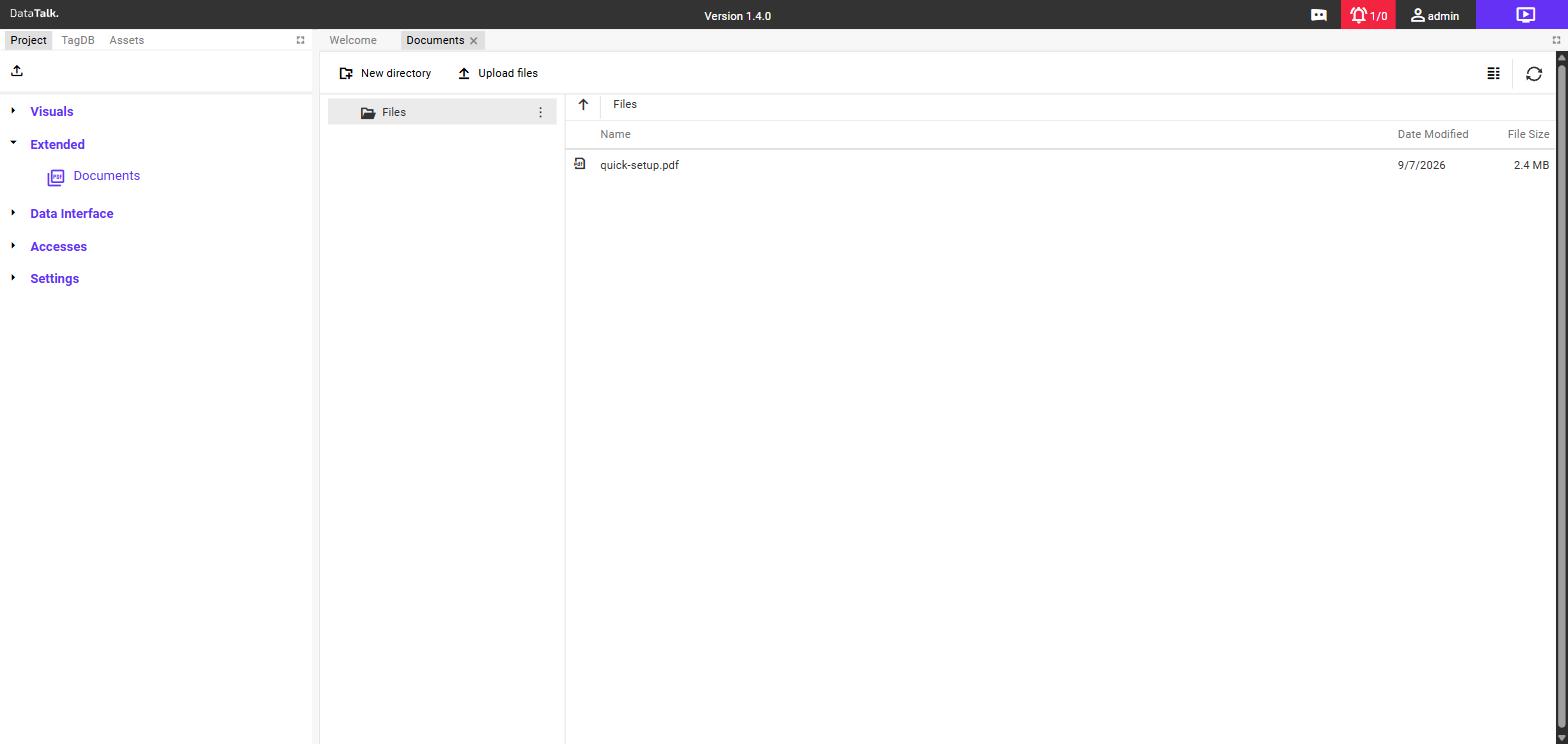
The Documents section lets you upload custom PDF files and make them available inside the DataTalk environment. Uploaded documents can be placed directly on a dashboard canvas so operators can view them without leaving the application.
What Documents are used for
Documents are suited to any static content you want to keep alongside your live dashboards:
Machine manuals — upload the manufacturer’s PDF and pin it to the relevant machine dashboard so operators always have it at hand.
Standard Operating Procedures (SOPs) — make step-by-step instructions available directly on the process screen.
Wiring diagrams and schematics — attach technical drawings to the dashboard for the equipment they describe.
Safety and compliance documents — keep certificates, inspection records, or safety sheets accessible from the operator interface.
Adding a document
In the left sidebar, expand Extended and click Documents. The Documents list opens.
Click the + button. Select the PDF file from your computer and confirm. The document appears in the list once the upload completes.
Open a dashboard in the editor. Drag the document from the Project tree onto the dashboard canvas and position it where you want it. Resize the document viewer by dragging its edges.
Viewing documents
In view mode the document renders as an inline PDF viewer — operators can scroll through pages, zoom in, and read the content without leaving the dashboard. No additional software or browser plugin is required.