Modbus TCP / UDP
On this page
Modbus is the most widely deployed industrial communication protocol. It connects PLCs, energy meters, variable-speed drives, and sensors over Ethernet using a simple request/response model.
Modbus TCP communicates over TCP/IP — reliable, connection-oriented, suitable for the majority of installations.
Modbus UDP uses a connectionless transport that is faster but without delivery guarantees — suited for time-critical or read-only applications on reliable local networks.
Modbus communication supports numerical values only. String read/write is not supported.
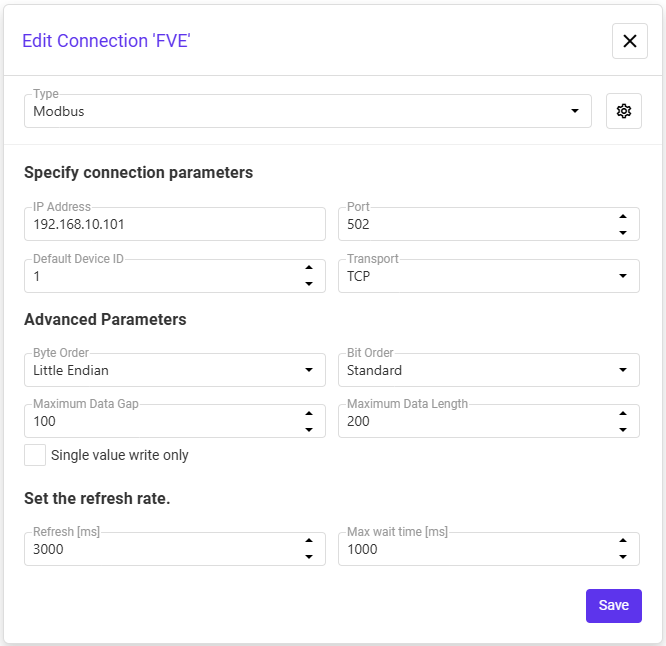
Connection parameters
| Parameter | Description |
|---|---|
| IP Address | IP address of the Modbus device |
| Port | TCP/UDP port — default 502 |
| Unit ID | Modbus slave address (1–247). Use 1 for most devices; 0 for TCP-only devices |
| Polling interval | How often tags are read from the device (ms) |
| Byte Order | Little Endian — least significant byte first (e.g. 0x1234 → 34 12). Big Endian — most significant byte first (e.g. 0x1234 → 12 34) |
| Bit Order | Standard — bit 7 to bit 0. Reverse — bit 0 to bit 7 |
| Max Data Length | Maximum number of words read in a single request. Reduce for devices with limited read capacity |
| Max Data Gap | Maximum allowed gap between data blocks read continuously. Used for optimization — leave unchanged unless needed |
| Max wait time | Maximum time to wait for a response from the device (ms). Increase for slow networks or devices |
| Single value write only | When enabled, uses FC5/FC6 (single write) instead of FC15/FC16 (multiple write) |
Address mapping
DataTalk uses a short addressing format. Addresses start from 0 (not from 1 as in Modicon notation):
| Area | Modicon range | Access | Prefix | Example |
|---|---|---|---|---|
| Discrete Outputs (Coils) | 00001–09999 | Read/Write | O: | O:0 → 00001 |
| Discrete Inputs | 10001–19999 | Read only | I: | I:0 → 10001 |
| Input Registers | 30001–39999 | Read only | R: | R:0 → 30001 |
| Holding Registers | 40001–49999 | Read/Write | H: | H:0 → 40001 |
Multiple devices on one line
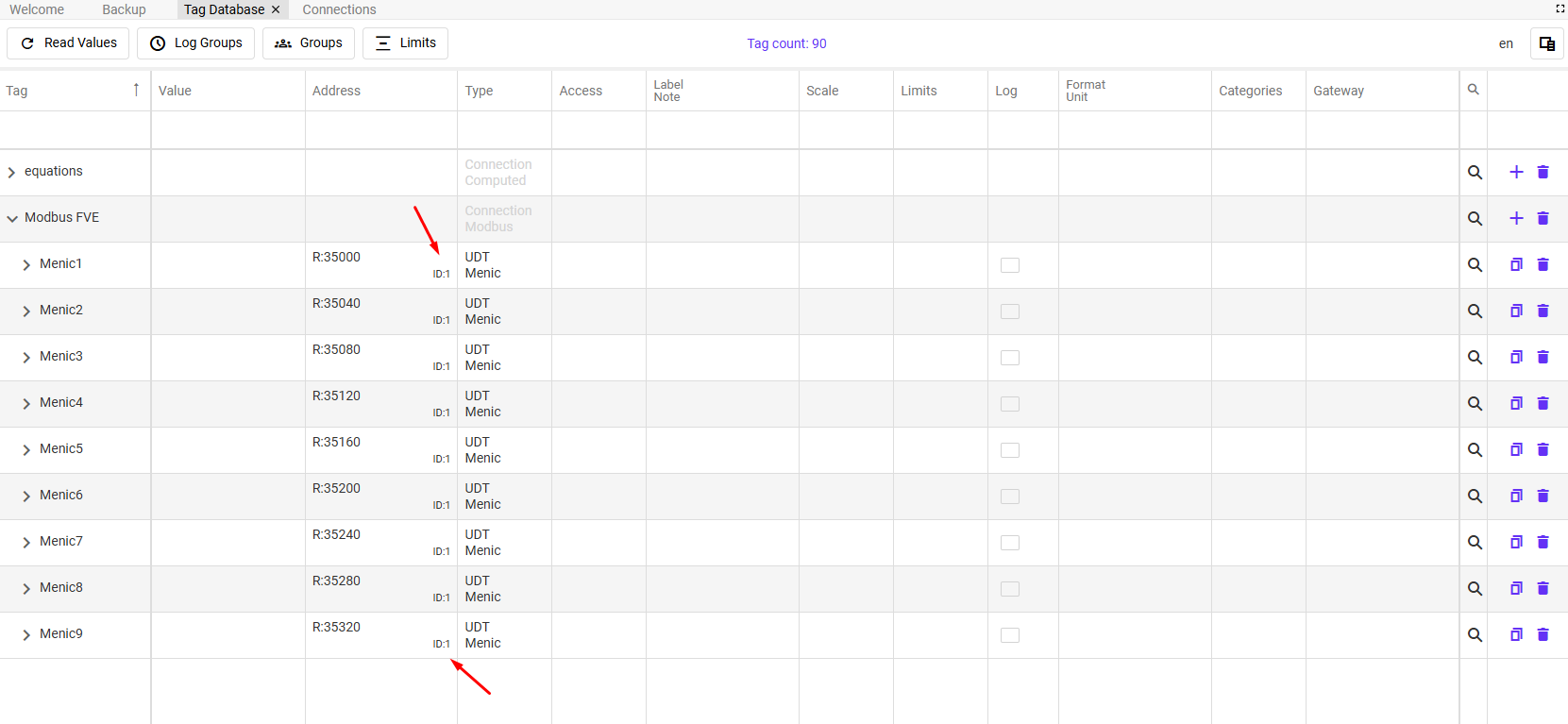
When multiple devices share the same IP (e.g. RS-485 to Ethernet converter with multiple meters), each device is identified by its Device ID set in the tag’s address field in the Tag Database.
Example: four power meters on one converter — assign Device IDs 1, 2, 3, 4 per meter.
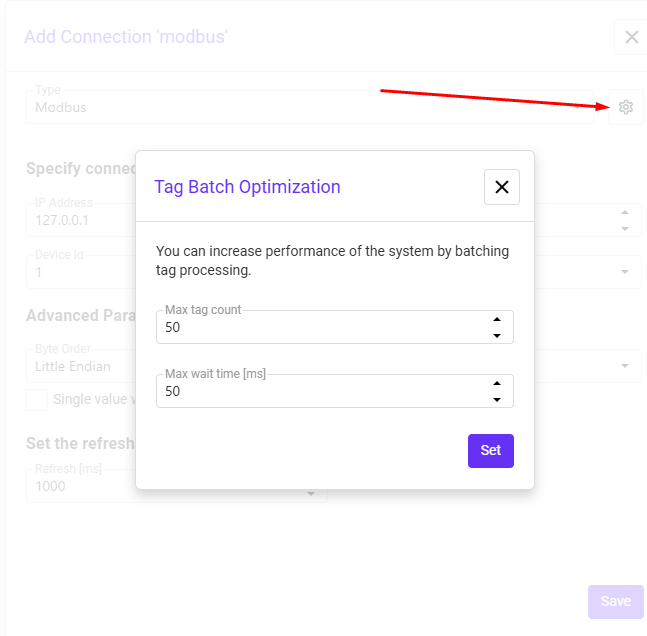
Batch optimization
Batch optimization groups multiple tags into a single Modbus request, reducing communication overhead and improving throughput:
| Setting | Description |
|---|---|
| Max tag count | Maximum number of tags grouped into one request |
| Max wait time | Maximum time to collect tags before sending the batch |
Larger batches mean fewer requests and better efficiency, but may add slight latency for individual tags.