
UDT — User-Defined Types
Create reusable tag structure templates for repeated equipment types — define the register layout once and instantiate it for every device of that type.
On this page
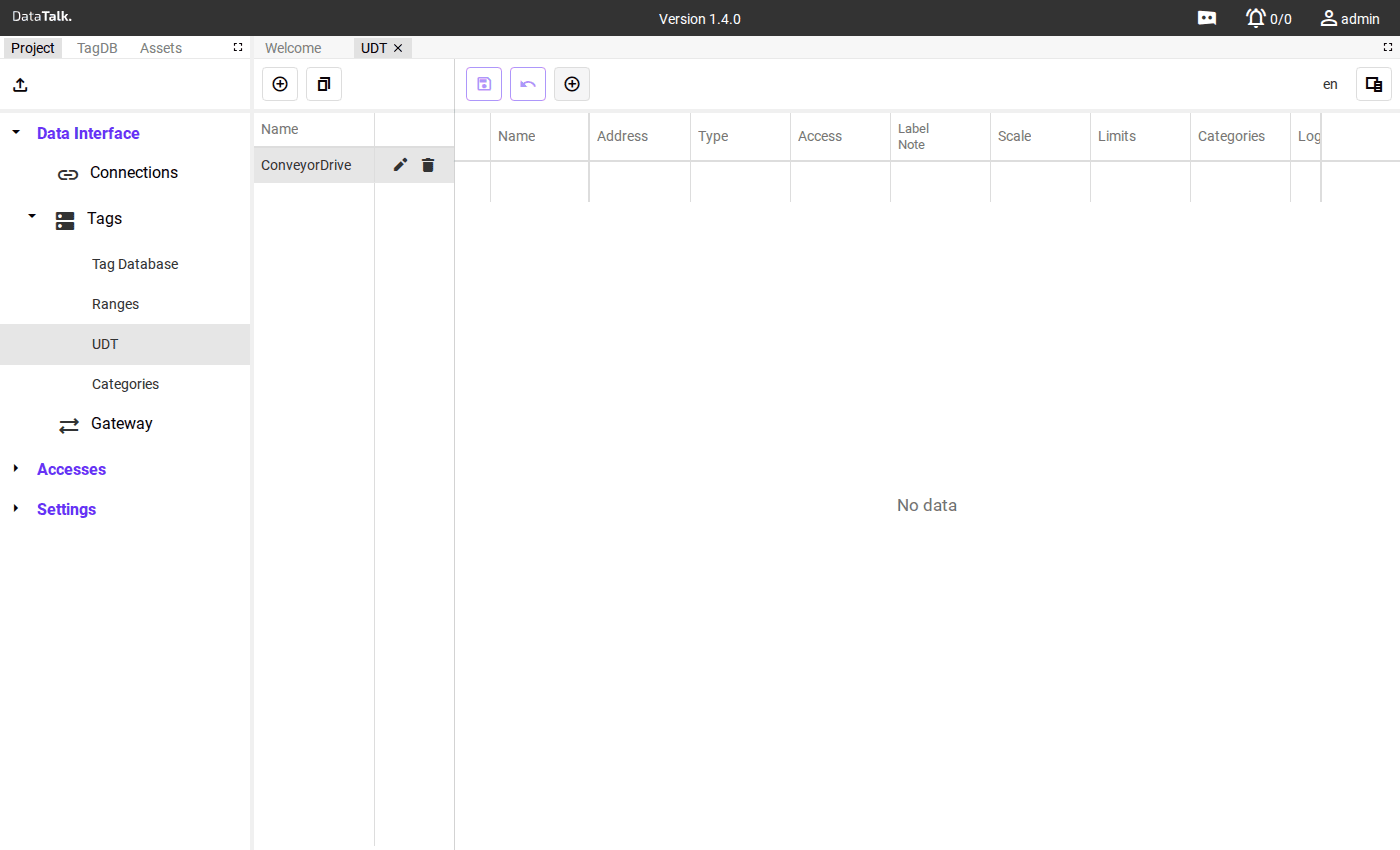
UDT (User-Defined Types) solve one of the most common problems in industrial projects: repeated equipment. When a plant has 20 identical pumps, each with the same 12 PLC registers, creating 240 individual tags manually is time-consuming and error-prone. A UDT defines the structure once as a reusable template and generates all tags automatically for each instance.
How UDTs work
Click Add to create a new UDT. Give it a name that reflects the equipment type (e.g., ConveyorDrive, CoolingPump, PressureTransmitter).
Define the member tags — the individual registers that make up one instance of this equipment:
- Relative register address (offset from the instance’s base address)
- Data type
- Scale, unit, and format
- Label and description
The template has no physical device yet — it is a blueprint.
In the Tag Database, add a tag of type UDT, select your template, and enter:
- The Connection (which device to read from)
- The base address for this specific instance
The gateway calculates each member tag’s absolute address as base + relative offset and generates all member tags automatically, prefixed with the instance name.
Add one UDT instance per physical device with its unique base address. All instances share the same structure from the template.
For 20 pumps, this means 20 tag additions instead of 240.
Benefits
Efficiency — Reduces manual tag creation time significantly, especially for projects with many similar components. Creating 20 pump instances from a 12-register UDT template generates 240 tags in seconds instead of hours.
Consistency — All instances share an identical structure. There is no risk of one pump having a misspelled tag name or a missing data point.
Scalability — When a new firmware version adds a register or a process change requires a new measurement, add the member once to the UDT template. Every existing instance automatically gains the new tag without per-instance editing.
In industrial applications where similar devices — motors, pumps, sensors, drives — are widespread across a facility, UDTs can reduce tag setup time by an order of magnitude and eliminate structural inconsistencies that accumulate in manually built tag databases. Combine UDTs with Categories to keep large tag lists navigable after instantiation.
Naming convention
Instances are prefixed with the name you give when creating the UDT tag. Example for template PumpUnit instantiated as Pump_01:
Pump_01.Speed
Pump_01.Current
Pump_01.FaultCode
Pump_01.RunHours
Pump_01.StartCommand
All 20 pumps follow the same pattern: Pump_02.Speed, Pump_03.Speed, etc. — making navigation and filtering in the Tag Database straightforward.
Updating a template
If a new firmware version of your device adds a register, or you discover a missing data point, add the new member to the UDT template. All existing instances automatically include the new member tag — no per-instance changes needed.
Assign all UDT-based pump tags to a Pumps category automatically by configuring the category in the template’s member definitions. Every instance then inherits the category.