
Forwarding data to a REST API
Push tag values to any HTTP/HTTPS endpoint using standard REST conventions — cloud backends, SaaS platforms, custom APIs, or webhooks.
On this page
The Rest API gateway type sends tag values as HTTP requests to any endpoint you specify. Use this when the target system exposes a web API — a custom backend, a SaaS platform, a cloud analytics service, or a simple webhook receiver — and you need the gateway to push data on a schedule without the destination needing to connect back.
Prerequisites
- An HTTP/HTTPS endpoint that accepts POST (or PUT/GET) requests with a JSON body
- Endpoint URL and any required authentication credentials or tokens
- At least one Connection configured with tags reading correctly
Configuration
In the project tree, expand Data Interface → Gateway and double-click Gateway.
Select Rest API from the Type dropdown.
Enter the full URL of the target endpoint in the Server URL field, including protocol and path:
https://api.example.com/v1/telemetryDataTalk supports POST, PUT, and PATCH requests to your REST API server. Choose the Method (HTTP verb):
- POST — default; use for APIs that create a new record on each call
- PUT — use for APIs that replace an existing resource
- PATCH — use for APIs that accept partial updates
- GET — use only for APIs that accept data as query parameters
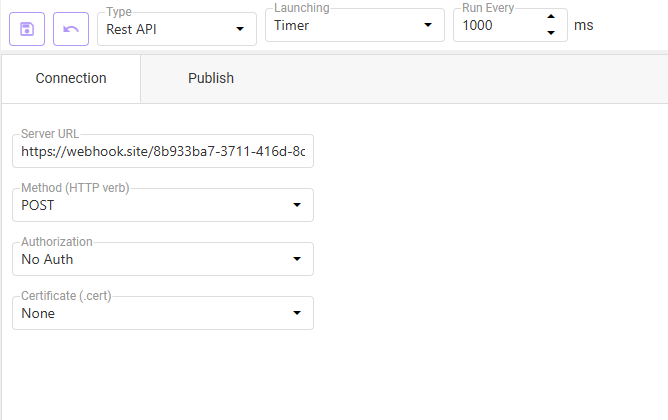
Set the Authorization method:
- No Auth — no credentials; suitable for internal endpoints on trusted networks or APIs protected at the network level
- Other options (Bearer Token, Basic Auth) appear depending on version; select the one your API requires and provide the token or credentials
If the endpoint requires mutual TLS, select the appropriate certificate from the Certificate (.cert) dropdown. Certificates are managed separately in the project settings.
Switch to the Publish tab and make sure the Publish checkbox is enabled — this activates outbound forwarding. Configure the request body: which tags to include and in what format (typically JSON). Map tag names to the field names the API expects.
Next, navigate to the Tag Database and select the tags you wish to publish to your REST API server.
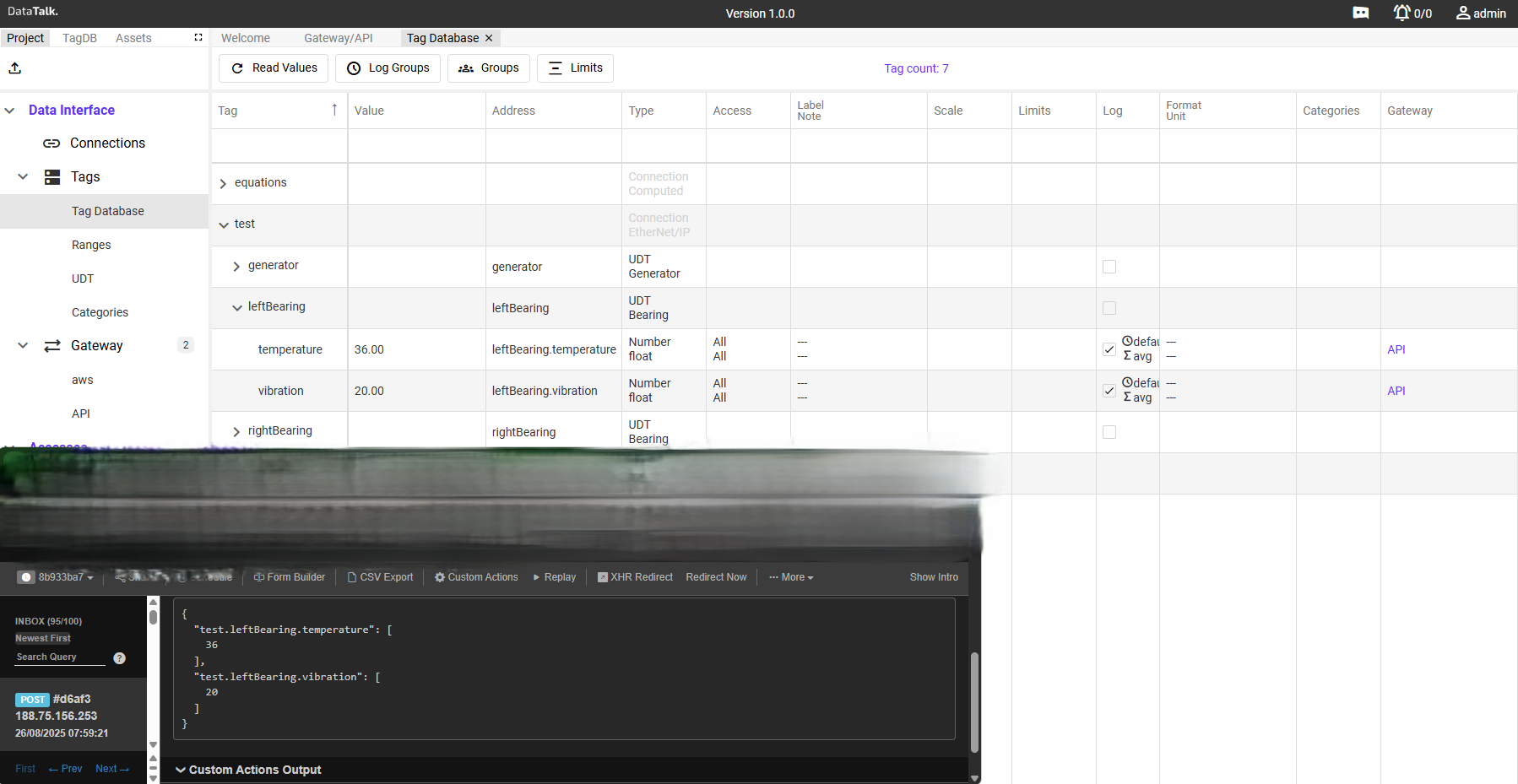
Set Launching to Timer and Run Every to your desired interval in milliseconds. For one HTTP call per minute use 60000.
For event-driven delivery — sending only when a specific tag changes — set Launching to Trigger and select the trigger tag. The HTTP call fires only when that tag’s value changes.
Click Save. The gateway starts making HTTP requests to the endpoint on the configured schedule.
Verifying delivery
Most REST APIs return an HTTP status code indicating success or failure:
- 200 / 201 / 204 — request accepted
- 401 / 403 — authentication failed — check credentials
- 404 — wrong URL — verify the endpoint path
- 429 — too many requests — increase the Run Every interval
- 5xx — server error on the receiving end
If the target endpoint is a webhook service (Zapier, Make, n8n, custom), check the webhook dashboard for incoming payloads. Confirm tag names and values match the DataTalk Tag Database → Read Values tab.
During development, point the gateway at https://httpbin.org/post — it echoes back the full request so you can inspect exactly what DataTalk sends before configuring your real endpoint.
REST webhooks are often most useful in Trigger mode — fire the HTTP call only when something significant happens (an alarm flag changes, a batch completes, a counter reaches a threshold). This keeps API call volume low and the receiving system focused on meaningful events rather than continuous telemetry.