
Backup / Restore
Create, download, restore, and delete snapshots of the DataTalk project configuration.
On this page
The Backup/Restore page manages automatic and manual snapshots of the DataTalk project configuration. Use it to safeguard the current configuration before making major changes, or to migrate a configuration to another device.
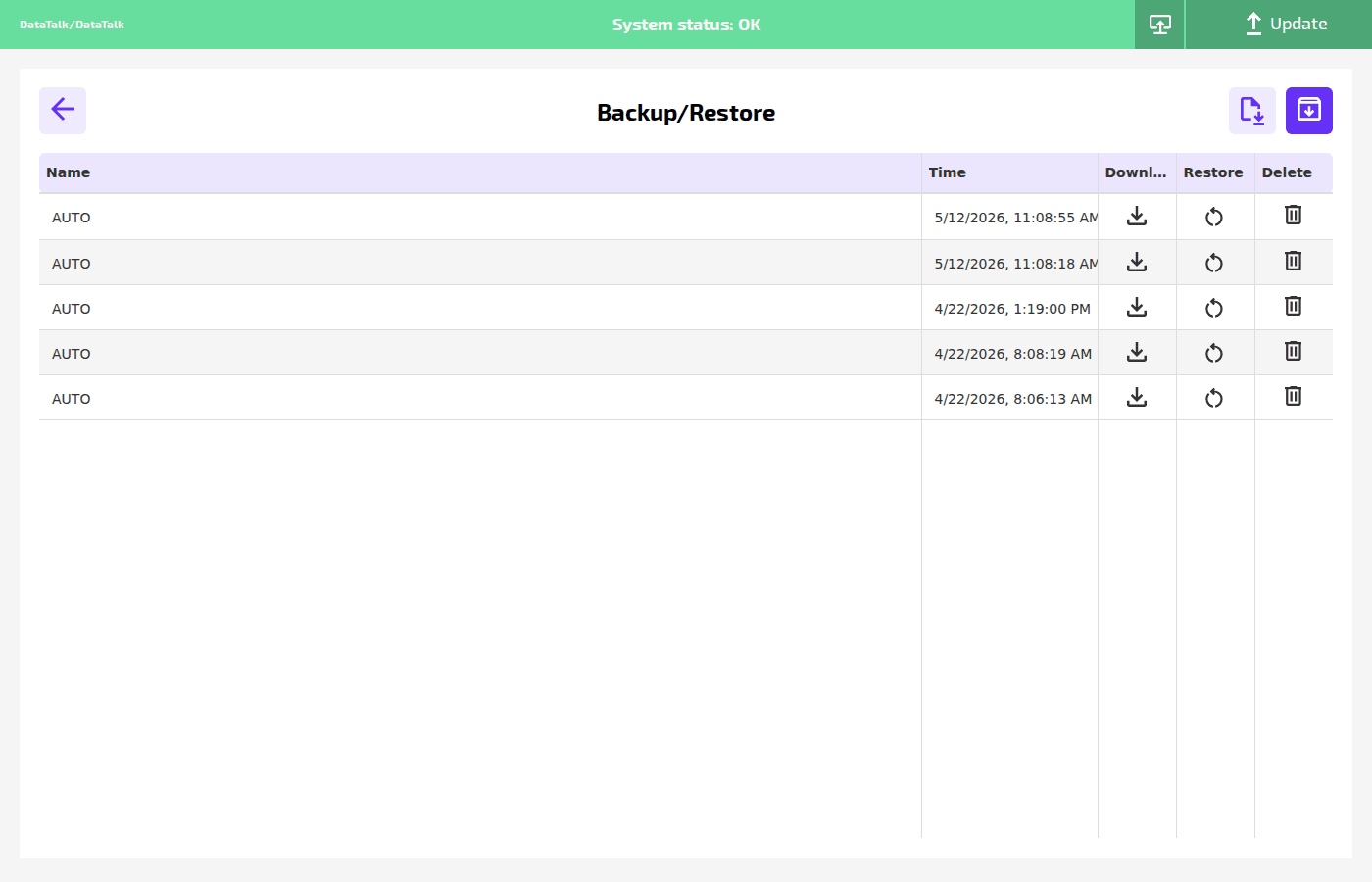
Backup list
Backups are listed in a table with the following columns:
Name — the backup identifier. Automatic backups are labeled AUTO. Manual backups created via the upload button use a custom name.
Time — the date and time the backup was created (device local time).
Download — saves the backup archive to your computer as a file.
Restore — rolls back the entire DataTalk project configuration to the state captured in this backup. The runtime restarts after restore.
Delete — permanently removes the backup entry.
Actions
Two buttons appear at the top right of the page:
↑ Upload backup — uploads a previously downloaded backup file from your computer to restore it on this or another device.
⬇ Create backup now — immediately creates a new manual backup of the current configuration.
Restoring a backup replaces the entire project configuration — all connections, tags, gateway settings, and data server configuration revert to the backed-up state. This cannot be undone unless another backup is first created.