
Plugins
Install and manage optional runtime extensions — AI inference engines, MQTT brokers, and OS-level components — through the DataTalk Manager plugin system.
On this page
The Plugins page lists optional extensions that can be downloaded and installed alongside the DataTalk runtime. Plugins add capabilities that are not part of the core runtime — AI inference, a standalone MQTT broker, OS upgrades, or custom integrations.
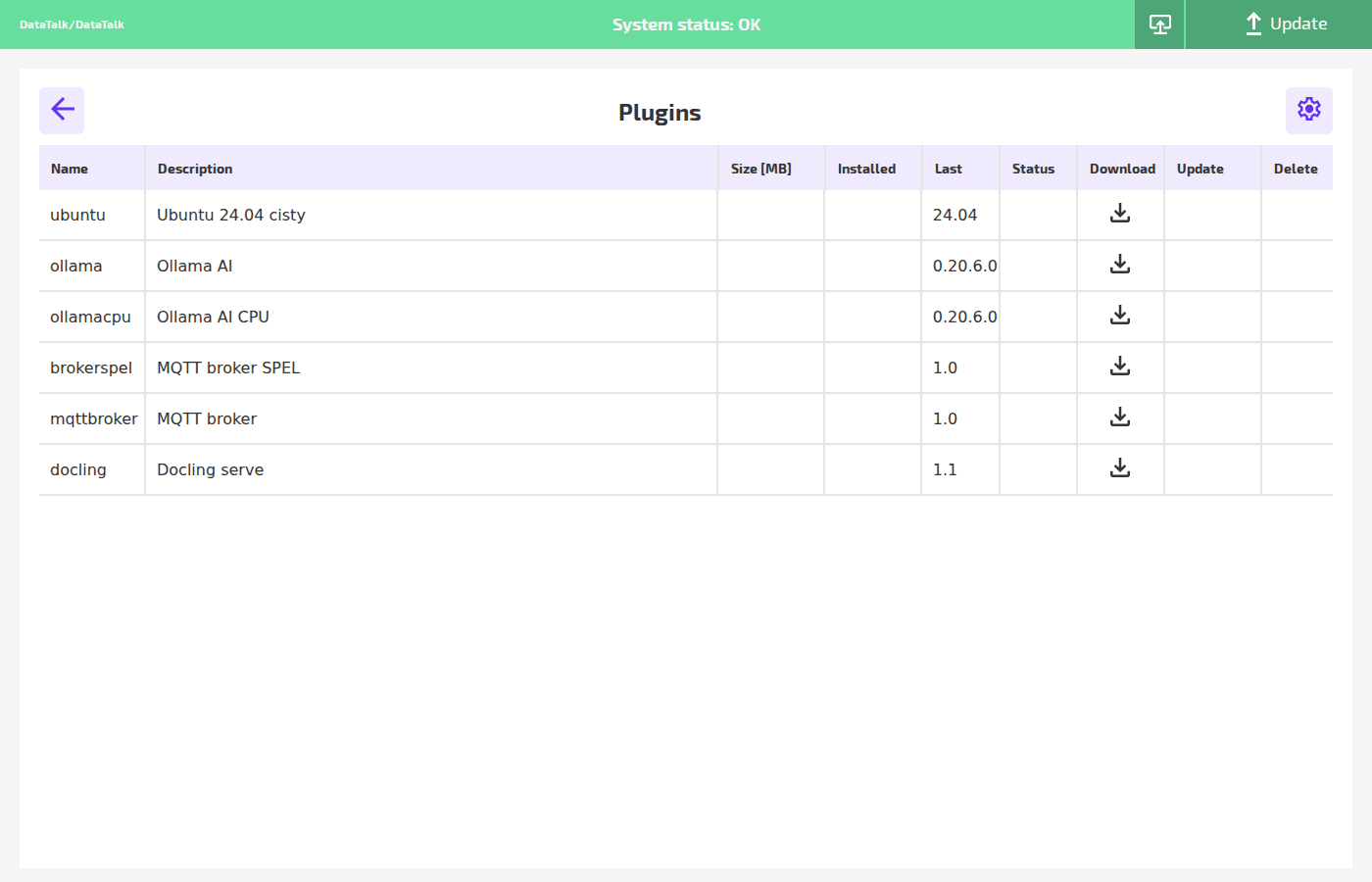
Plugin list
Each row represents one available plugin:
Name — the internal plugin identifier used by DataTalk Manager.
Description — a short human-readable description of what the plugin provides.
Size [MB] — the download size of the plugin package. Empty if not yet fetched from the update server.
Installed — the version currently installed on the device. Empty if the plugin has not been installed.
Last — the latest version available from the update server.
Status — the current state of the plugin (running, stopped, error). Empty if not installed.
Download — downloads and installs the plugin from the update server.
Update — updates an already-installed plugin to the latest version. Only visible when an update is available.
Delete — uninstalls the plugin and removes its files from the device.
Available plugins
ubuntu — OS base layer update. Installs or updates the Ubuntu 24.04 LTS environment that DataTalk runs on.
ollama — Ollama AI inference engine (GPU-accelerated). Enables running local large language models (LLMs) on the device for AI-powered data analysis, alarm classification, or natural language interfaces. Requires a compatible GPU.
ollamacpu — Ollama AI inference engine (CPU-only). Same as ollama but optimized for devices without a discrete GPU. Performance is lower but works on any hardware.
brokerspel — MQTT broker with SPEL scripting support. Adds a standalone MQTT broker to the device with built-in scripting capability for message transformation and routing.
mqttbroker — standard MQTT broker. Installs a plain MQTT broker (without scripting) for use as a standalone message bus independent of the DataTalk runtime.
docling — document serving plugin. Provides a document delivery service on the device.
Installing a plugin
Click the puzzle icon in the Plugins row on the main dashboard.
Locate the plugin in the list. Check the Last column for the available version.
Click the ↓ Download icon in the row. DataTalk Manager downloads the package from the update server and installs it. A progress indicator appears during download.
After installation, the Installed column shows the installed version and the Status column reflects the running state.
Most plugins can be installed while the runtime is running, but some (particularly OS-level plugins like ubuntu) require the runtime to be stopped. Check the plugin description before installing.
Plugin settings
The ⚙ gear icon at the top right of the Plugins page opens plugin-level settings — for example, configuring which port a plugin’s service listens on, or setting credentials for the plugin.