
General
On this page
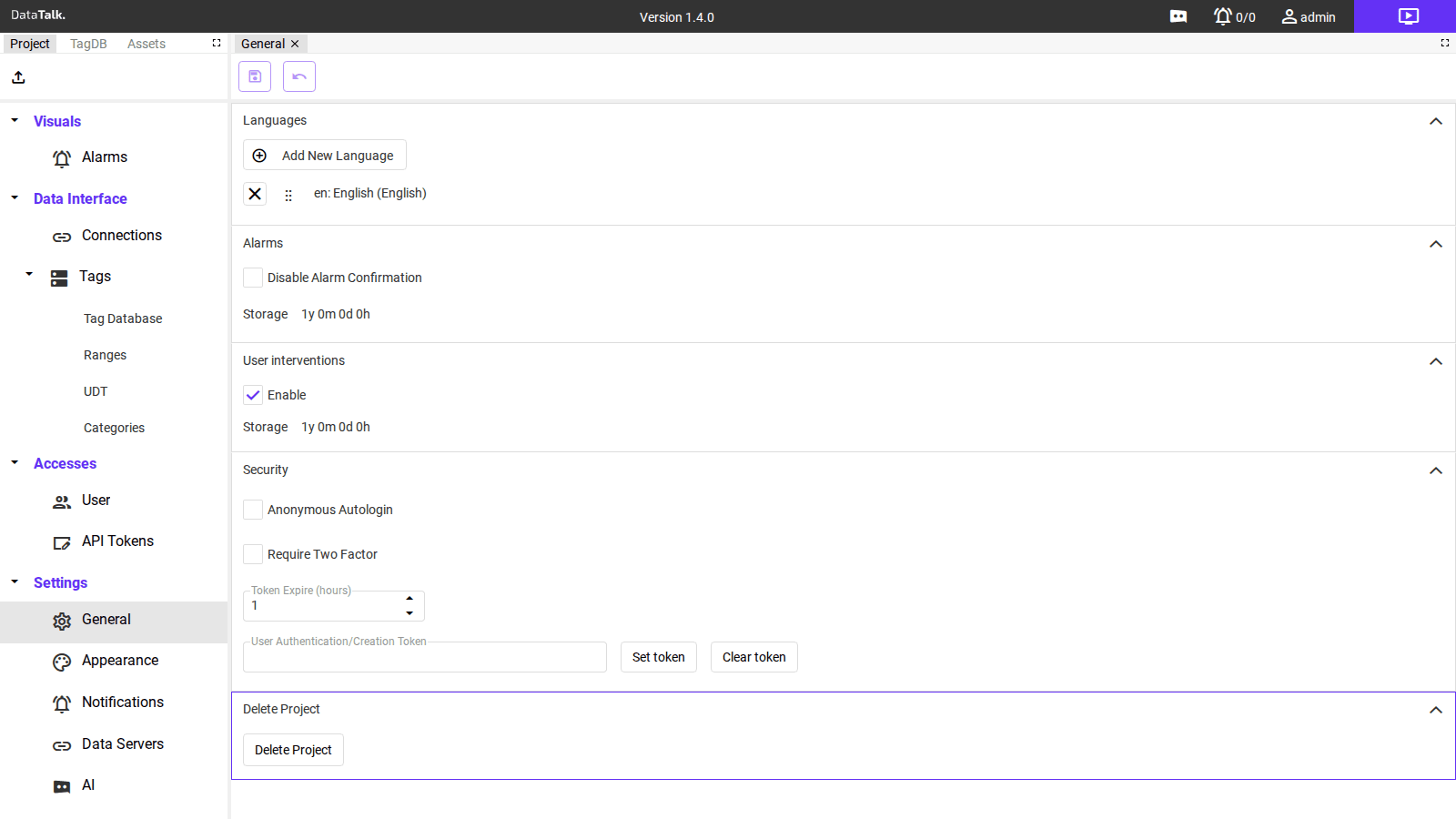
The General settings page controls system-wide configuration for the project. Settings are grouped into five collapsible sections: Languages, Alarms, User interventions, Security, and Delete Project.
Languages
Defines which interface languages are available to users. The project ships with English (en) as the default. Use the Add New Language button to add additional locales — once added, individual users can switch to their preferred language in their own account settings.
Drag the ⣿ handle to reorder languages in the list. Remove an unused language with the × button.
Alarms
Disable Alarm Confirmation — When checked, the confirmation step is skipped when an operator acknowledges an alarm. Operators can silence or acknowledge alarms with a single click instead of going through a confirmation dialog.
Storage — The data retention period for alarm history. Entered in the format Xy Xm Xd Xh (years, months, days, hours). The default is 1y 0m 0d 0h (one year). Records older than this limit are automatically purged.
User interventions
Enable — When checked, the system logs operator actions: tag value changes made through the interface are recorded with a timestamp and the identity of the user who made the change.
Storage — The retention period for the intervention log, in the same Xy Xm Xd Xh format. The default is 1y 0m 0d 0h (one year).
The User interventions storage setting only has an effect when the Enable toggle is checked. If logging is disabled, no intervention records are written and the retention setting is not applied.
Security
Anonymous Autologin — When checked, the system loads without prompting for credentials. Anyone who can reach the server’s URL is automatically signed in. Intended only for physically isolated, fully trusted networks.
Require Two Factor — When checked, two-factor authentication (TOTP) is mandatory for all user accounts. This enforces a site-wide 2FA policy regardless of individual user settings.
Token Expire (hours) — How long an authentication token remains valid after it is issued. The default is 1 hour. Sessions expire after this period and the user must log in again.
User Authentication/Creation Token — A shared secret token that users must supply when self-registering an account. Click Set token to define the token or Clear token to remove it and disable self-registration.
Never enable Anonymous Autologin on a server reachable from the internet or any untrusted network. Every person who can reach the server’s IP address gains full access to the interface and all data without any credentials.
Delete Project
The Delete Project button permanently removes the entire project, including all configuration, historical data, and user accounts. This action is irreversible and cannot be undone.
Deleting the project destroys all data. Create a backup in Settings → Backup before proceeding if you need to preserve any part of the project.